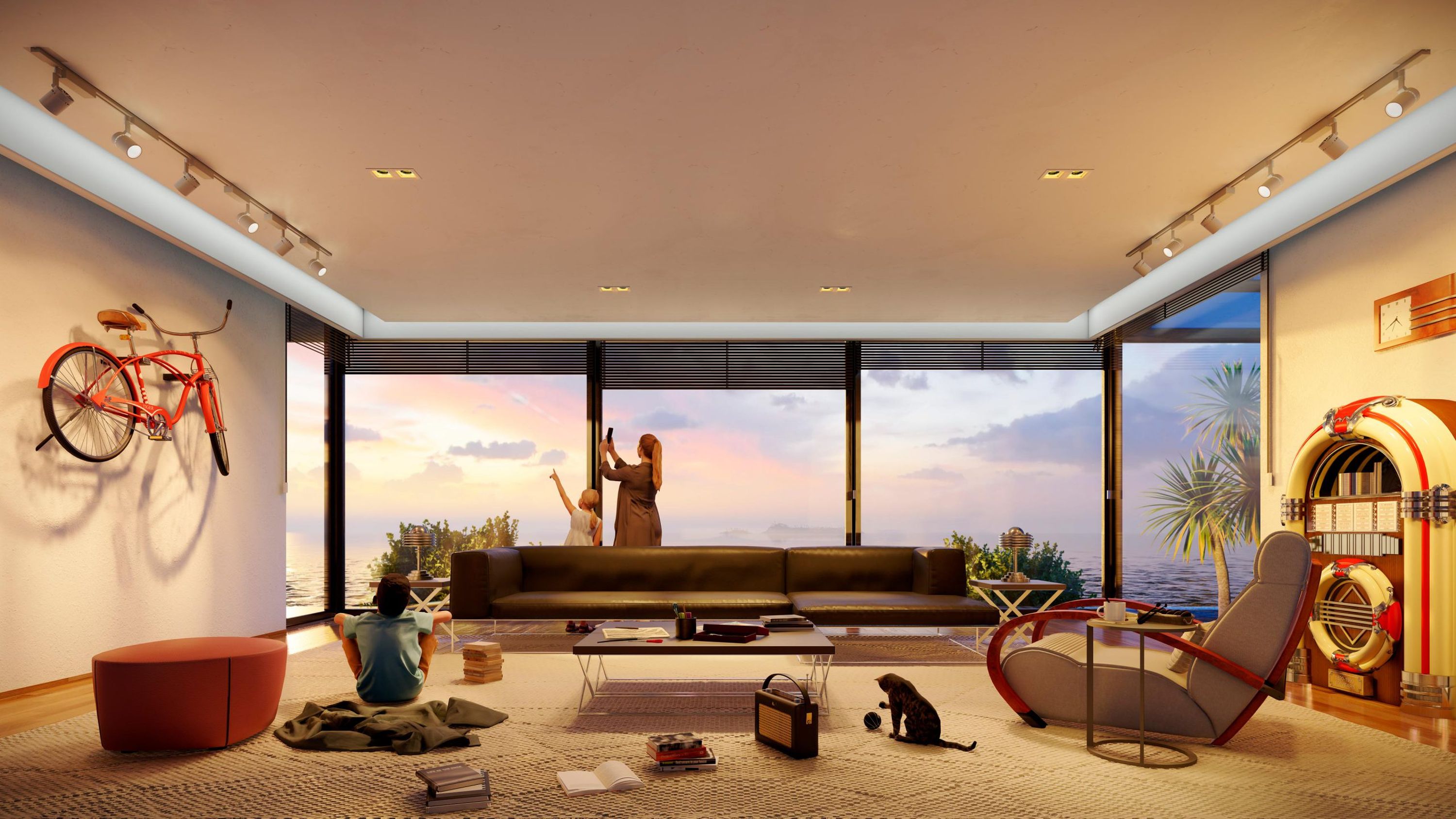
Celebrating a decade of intuitive rendering with Lumion 10
Ten versions of Lumion. A decade of reliable and stress-free rendering. Discover what's new in Lumion 10.

Making 3D rendering a more enjoyable part of architectural workflows
With new features and tools, it’s easier than ever to communicate residential and commercial exteriors in their richly detailed settings, cast interiors in a beautiful interplay of light and shadow, and develop living environments for landscapes and cityscapes.
Whether it’s the new, beautifully detailed nature objects or workflow-boosting features that let you quickly fill your scene with life, Lumion 10 aims to reduce the amount of effort on your end to better communicate your design ideas and projects.
High-quality preview
The new high-quality preview feature in Lumion 10 lets you see the highest quality preview of your project before you render it.
You can experience how the effects in Photo, Movie or Panorama mode will impact the final result, empowering confidence and saving time when making changes to lighting, shadows, materials and camera positions.
Model design by Van Manen.
Fine-detail Nature
The 62 new Fine-detail Nature models in Lumion 10 Pro are the most detail-rich, beautiful 3D tree and plant models available in the Lumion content library.
With trees, bushes, shrubs and more, these models will visually enrich your scene with life. They can help you imagine the feeling of leaves fluttering in the wind or the rough texture of bark.
Place one in front of a home, building or park design, and others will see how your design connects with its living environment.
The new Fine-detail Nature models are much richer than the standard nature models and other trees you can find in Lumion. As a result, they will make your project heavier and can slow down the render speed. We recommend using the Fine-detail Nature models sparingly. Use them for that perfect image from the perfect angle!
Displacement mapping
When surfaces contain relief and detail, the materials and your entire design come to life. With the addition of displacement mapping to 167 materials in Lumion 10, your audience will be able to feel the grain of your chosen wood, the rough surface of bricks, the bumpy texture of gravel and more.
Model design by Van Manen.
Real Skies at night
When looking up at the night sky and its thousand dazzling stars, it’s easy to feel a sense of wonder and beauty toward your surroundings. This is the feeling we wanted to help architects create when showing their designs, and now we’re excited to introduce 5 new Real Skies at night available in Lumion 10 Pro.
In an instant, you can place your building or home under a clear, starry night or the wondrous beauty of the Milky Way. For interiors, you can show clients the experience of staring into the great expanse of space from the coziness of their future bedroom, living room, patio or kitchen.

Model design by Marco Caccini.
Paint placement
While Lumion 10 does have a variety of new effects that can visually enrich your scenes with life, you can also find new features designed to significantly improve architectural workflows.
One such feature is paint placement, an object placement tool that lets you place hundreds of nature objects in your project as if you were painting on a piece of paper.
Just sweep your mouse like a brush across an area and you can scatter swathes of trees, rocks and shrubs over the landscape to impart that sense of natural realism to the context surrounding your architectural design.
Model design by Marco Caccini.
And much more
Lumion 10 also comes with Photo Matching, OSM heightmaps, new objects and materials and more.
For a complete list of new features, see the Lumion 10 release notes.
New to Lumion?
If you have a 3D model of your design but you don’t have a whole lot of time, Lumion 10 can help you bring it to life faster than most rendering programs available.
Discover everything you need to know to get started in the overview tutorial below.