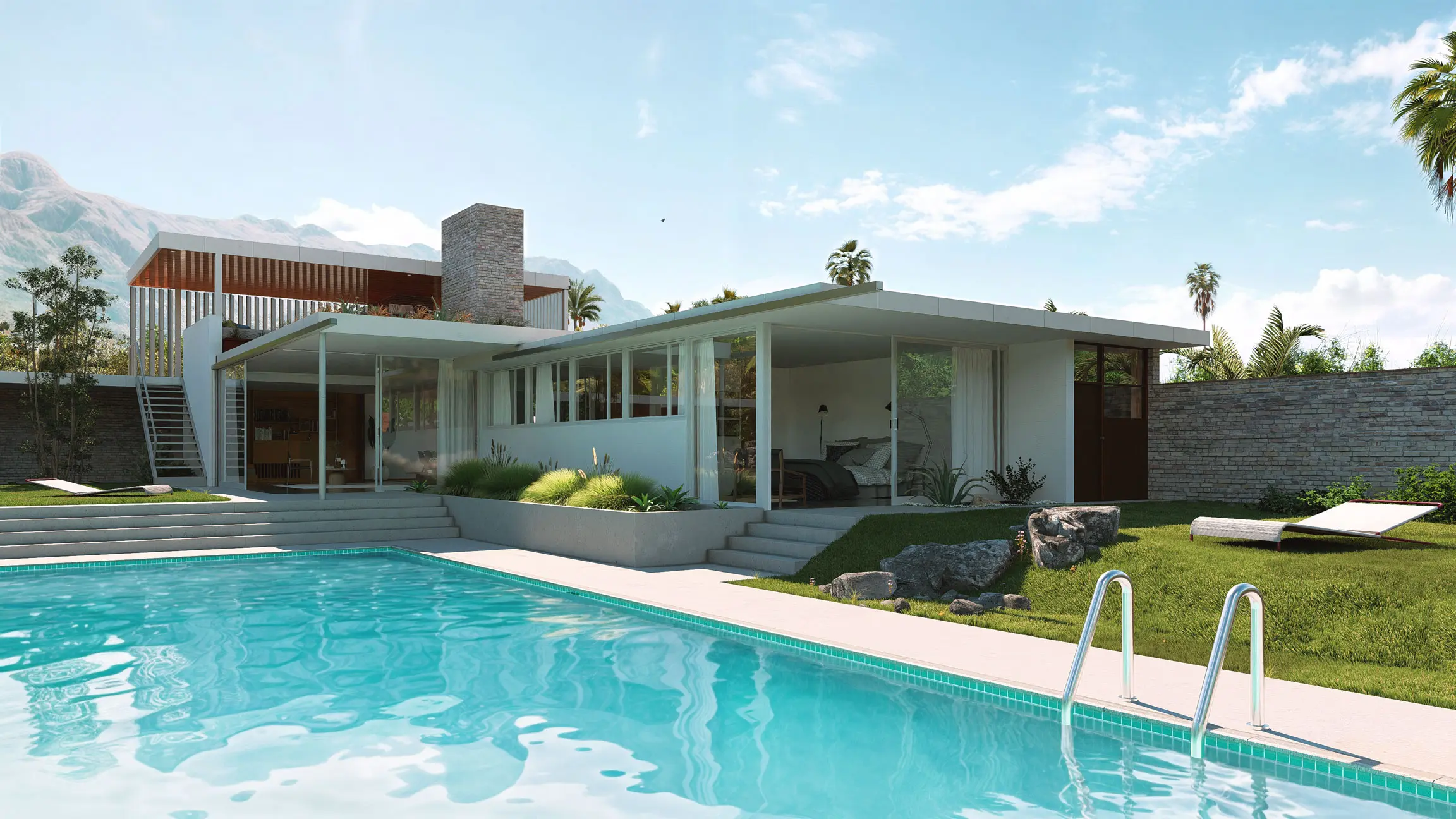
Best 3D rendering software for architects in 2026
Seven rendering tools architects use, compared by what each is best for, with key features, pricing, platforms, pros, and cons for each.

Choosing the best 3D rendering software for architecture is hard because every program looks good in its own gallery. What separates them is less visible: whether the tool works inside your CAD or BIM software or beside it, what it costs, what hardware it needs, and what kind of output it is built to make.
This guide compares seven tools architects use, Lumion Pro, Enscape, Twinmotion, D5 Render, V-Ray, Corona, and Blender, with each vendor's facts read from its own pages in October and November 2026. A summary table comes first, then one section per tool with a screenshot, what it is best for, its key features, pricing, platforms, pros, and cons. Lumion Pro comes first because this is Lumion's guide. The other six follow, and each section says plainly what that tool does well.
What is the best 3D rendering software for architects?
There is no single best 3D rendering software for architects. The right tool depends on what the output needs to do, such as support a design review, win a client's sign-off, or finish a print-quality still, and on what it has to work alongside: your CAD or BIM software, budget, and hardware. The summary table below compares seven options.
Tool
Best for
Type of renderer
How it works with your model
Free option
Lumion Pro | All-round communication of a design to clients and stakeholders | Real-time, with ray tracing | Separate scene, linked to CAD and BIM tools by the free LiveSync plugin | 14-day trial; free student license |
Enscape | Design review inside the modeling tool | Real-time | Plugin inside Revit, SketchUp, Rhino, Archicad, and Vectorworks | 14-day trial |
Twinmotion | Small practices under Epic's revenue threshold, or projects heading to Unreal Engine | Real-time, with a path tracer | Separate scene, linked by Datasmith Direct Link | Free up to $1 million in annual gross revenue |
D5 Render | Learning real-time rendering at no cost | Real-time, with ray tracing | Separate scene, linked by LiveSync plugins | Free Community license for non-commercial use |
V-Ray | Production rendering across several host applications | Production (offline), with a real-time viewport mode | Plugin inside Revit, SketchUp, Rhino, 3ds Max, Cinema 4D, Blender, and more | 30-day trial |
Corona | CPU rendering in 3ds Max or Cinema 4D | Production (offline), with interactive rendering | Plugin inside 3ds Max and Cinema 4D | 30-day trial |
Blender | A free, full 3D toolset you can use commercially | General-purpose 3D suite with real-time and path-traced engines | Models imported as files | Free for any use, including commercial |

A waterfront district at blue hour. Rendered in Lumion Pro.
What is the best rendering software for each use case?
The best rendering software depends on the use case. Lumion Pro is ideal for studios looking for an all-round tool to generate project visuals, including images, videos and panoramas, and presenting those to clients. Enscape suits design teams looking to create quick and easy design reviews and concepts inside the modeling tool, Twinmotion suits small practices heading to Unreal Engine, D5 Render suits learning at no cost, V-Ray and Corona suit production rendering in their host applications, and Blender suits a free, full 3D toolset.
Each tool has its own section below, with a screenshot of its website and the facts its vendor publishes.
1. Lumion Pro, best for communicating a design to clients and stakeholders
Lumion Pro is built to help architects make a design understood by clients and stakeholders. It runs as its own desktop application alongside the CAD or BIM tool: the free LiveSync plugin links the model to a Lumion scene, so the design model stays focused on the building while the scene holds the site, planting, people, materials, and lighting. A change in the model still shows up in the scene. Lumion Pro and Lumion Cloud come as one subscription: render in Pro, then refine, gather feedback, and win sign-off in Cloud.
Edwin Vonk, visualization expert at Royal HaskoningDHV, puts it this way on Lumion's product page: "We use it in every stage of our projects."
Best for. A practice that presents to clients often and wants scene work kept out of the design model, including teams that model in several CAD tools.
Key features.
LiveSync for SketchUp, Revit, Archicad, Rhino, AutoCAD, Allplan, BricsCAD, Vectorworks, and more integrations
Real-time ray tracing that updates light, reflections, and shadows as you work, which Lumion says makes the preview match the final render
8,000+ ready-to-place assets, including 2,400+ nature items and 900+ characters, and 1,500+ materials
Site context from OpenStreetMap, terrain shaping, sun studies, and weather from daylight to rain and night
Images, animations, and 360 panoramas, with AI upscaling in Lumion Pro to 16K for print boards
Refinement in Lumion Cloud: an AI enhancer for mood and lighting, and an AI material generator for PBR maps
Client review in Lumion Cloud: share by link or QR code, pin comments to renders, compare versions, and approve in one shared workspace
Pricing. A 14-day free trial with no credit card and a free one-year student license. Plans and regional prices are on the pricing page.
Platforms. Windows 10 64-bit or newer, with a graphics card scoring a G3DMark of 8,000 and 105 GB of free disk space. Lumion Cloud runs in a web browser.
Pros. A preview that Lumion says matches the final render, a built-in library that puts site, planting, and people around a model quickly, and refinement and client sign-off in the same subscription.
Cons. Lumion Pro runs on Windows only and needs a capable graphics card, and scene building happens in its own application, which a team learns alongside its CAD tool.
Lumion Cloud is included in every plan: upload renders from Pro, collect markup feedback tied to the design, and manage approvals in one place instead of an email thread. See how Lumion Cloud works.
2. Enscape, best for design review inside the modeling tool
Chaos describes Enscape in one line: "Design, explore, and present without ever leaving Revit, SketchUp, Rhino, Archicad, or Vectorworks." That is its real strength. There is no second scene to keep in step and no export, so a team can check a design during the working session, and Chaos says you "see every change the moment you make it."
Best for. A practice that wants rendering inside Revit, SketchUp, Rhino, Archicad, or Vectorworks, and a Mac studio working in one of the four macOS hosts.
Key features.
Real-time visualization inside five CAD and BIM hosts, with no export step
Video with "Built-in presets, image-to-video animation, no third-party tools required"
Up to 6,700 render-ready assets on Solo and more than 18,500 on Collection
Cloud collaboration included from the Solo plan
Pricing. Solo is US $574.80, Premium US $670.80, and Collection US $730.80, each per license billed annually. A 14-day free trial. See Chaos pricing.
Platforms. Windows, and macOS in SketchUp, Rhino, Archicad, and Vectorworks. Enscape for Revit is Windows only.
Pros. Renders inside the modeling tool, with no export and no second scene to keep in step.
Cons. The larger asset library sits in the higher plans, and on a Mac it does not run in Revit.
3. Twinmotion, best for small practices or projects heading to Unreal Engine
Twinmotion is Epic's real-time visualizer, and it runs on both Windows and macOS. Its license makes it free for individuals and companies whose annual gross revenue does not exceed $1 million, and for students and educational institutions, and it offers a route into Unreal Engine for custom interactive work.
Best for. A small practice under Epic's revenue threshold that wants a full real-time tool for paid work, and a team that expects to take projects into Unreal Engine.
Key features.
Datasmith Direct Link to modeling tools
A Path Tracer for final images, on Windows only
A direct route to Unreal Engine
Pricing. Free up to $1 million in annual gross revenue, and for students and educational institutions; above that, or for Twinmotion Cloud, a paid seat at $445 a year. See Twinmotion licensing.
Platforms. Windows, and macOS Sonoma 14.6.1 or later.
Pros. Free for paid work below Epic's revenue threshold, on Windows and macOS, with a route into Unreal Engine.
Cons. On macOS, Epic's documentation rules out the Path Tracer and VR mode, and the Mac version asks for 32 GB of memory.
4. D5 Render, best for learning real-time rendering at no cost
D5 Render is a real-time, ray-traced renderer with its own scene, linked to SketchUp, 3ds Max, Rhino, Archicad, Revit, Cinema 4D, Blender, and Vectorworks. Its free Community license is not a time-limited trial, which makes it a practical way to learn real-time rendering.
Best for. An architect or student learning real-time rendering, or a practice evaluating it before committing budget.
Key features.
LiveSync plugins for eight modeling applications
2,100+ official assets in Community and 16,000+ in D5 Pro
Image, panorama, and video rendering in the free Community license
Pricing. Community is free for learning, personal projects, and evaluation; commercial work needs D5 Pro, $360 a year. See D5 Render pricing.
Platforms. Windows only in D5's system requirements, with a ray-tracing-ready graphics card.
Pros. A free license for learning and evaluation, with LiveSync for eight modeling applications.
Cons. No macOS version in its system requirements, and the free license cannot be used for paid work.
5. V-Ray, best for production rendering across several applications
V-Ray is a production renderer from Chaos, available in Revit, SketchUp, Rhino, 3ds Max, Cinema 4D, and Blender, so one renderer can follow an artist between tools. Chaos lets you "Select CPU, GPU, or hybrid mode", and in V-Ray for SketchUp and Rhino it offers "real-time rendering at final-frame quality, directly in the V-Ray viewport" with a Chaos Vantage or V-Ray Collection license.
Best for. A studio that runs a production rendering pipeline, and a team whose work moves between Revit or Rhino and 3ds Max or Cinema 4D.
Key features.
One renderer across six named host applications
CPU, GPU, or hybrid rendering
Real-time rendering in the V-Ray viewport, in V-Ray for SketchUp and Rhino with a Chaos Vantage or V-Ray Collection license
Up to 15,000 assets and materials
AI material creation from photos, and cloud collaboration and cloud rendering in the Collection plan
Pricing. A 30-day free trial. Plan prices are on Chaos pricing.
Platforms. Follows the host application. V-Ray for Revit runs on Windows only.
Pros. One renderer across six host applications, with CPU, GPU, or hybrid rendering.
Cons. Final frames render after you press render, and the real-time viewport needs a Chaos Vantage or V-Ray Collection license and is only in V-Ray for SketchUp and Rhino so far.
6. Corona, best for CPU rendering in 3ds Max or Cinema 4D
Chaos calls Corona a "dedicated renderer for 3ds Max and Cinema 4D, built for how archviz artists actually work." It "runs entirely on the CPU and is not limited by your graphics card", which suits a studio with CPU render machines. Chaos's own line on the learning curve: "Learn Corona in a day, fall in love with it in two."
Best for. A visualization artist producing interiors and exteriors in 3ds Max or Cinema 4D, and a studio that renders on CPU machines.
Key features.
Interactive rendering "for fast creative decisions"
LightMix, which changes light color and intensity during or after rendering
Up to 15,000 assets and materials from Chaos Cosmos
Veras AI ideation and the AI Material Generator
Pricing. A 30-day free trial. Plan prices are on Chaos pricing.
Platforms. Follows the host application, 3ds Max or Cinema 4D. Check Chaos's system requirements for your host.
Pros. Renders on the CPU, so it is not limited by the graphics card, and LightMix adjusts lighting during or after rendering.
Cons. Two host applications only, so a model from Revit, SketchUp, or Rhino has to come into 3ds Max or Cinema 4D first.
7. Blender, best for a free, full 3D toolset
Blender is "The Free and Open Source 3D Creation Suite": modeling, animation, and rendering in one application. Its license allows commercial use, and "What you create with Blender is your sole property." Cycles is its "high-end production path tracer", and EEVEE is its real-time engine.
Best for. An individual or small studio that wants one free tool across modeling, animation, and rendering, and anyone who needs a production path tracer with no license cost.
Key features.
Cycles for production images and EEVEE for real-time work
Modeling, sculpting, animation, compositing, and video editing in one application
Pricing. Free for any purpose, including commercial work. See Blender's license.
Platforms. Linux, Windows, and macOS 13 or later.
Pros. Free for any purpose, including commercial work, with modeling, animation, and rendering in one application.
Cons. Models from CAD or BIM tools come in as imported files, and Blender 4.5 LTS was the last release for Intel Macs.
How should I choose rendering software?
Choose rendering software against seven criteria: the output type you deliver (stills, animation, panoramas), CAD integration with your modeling tool, speed from model change to updated image, the learning curve for your team, the platform your computers run, the price at your seat count, and collaboration with clients on feedback and approval.
Output type. Check that the tool makes every output you deliver, such as stills at print size, walkthrough animation, and 360 panoramas, and how it shares them with clients.
CAD integration. A plugin renders inside the modeling session. A linked scene keeps materials, context, and lighting in a separate file that updates when the model changes. An import has to be repeated after every change.
Speed. Ask how long a model revision takes to show up in the image, not only how long one render takes.
Learning curve. Count the time for the people who will actually make the images, including anyone who has never left the CAD tool.
Platform. Check Windows and macOS support before anything else, because it rules tools out.
Price. Compare the cost at your real seat count and check whether a free tier allows paid work. Each tool's section above links its vendor's pricing.
Collaboration. Check where client feedback and approvals happen: in the tool, in a shared workspace, or in email.

A residential block at street level. Rendered in Lumion Pro.
What is the difference between real-time and offline rendering?
Real-time rendering draws the image many times a second, so you see light, materials, and design changes as you work. Offline rendering, also called production rendering, calculates each image after you press render. Each image takes longer, and studios that tune lighting frame by frame or composite render passes in other software often build their pipeline around it.
Real-time rendering
Offline (production) rendering
How the image is made | Drawn continuously as you move and edit | Calculated after you press render |
What you see while working | The image itself, updating live | A preview, then the finished frame |
Where it fits | Design reviews, client presentations, walkthroughs, panoramas, and stills | Frame-by-frame lighting control and compositing pipelines |
Examples in this guide | Lumion Pro, Enscape, D5 Render, Twinmotion, Blender EEVEE | V-Ray, Corona, Blender Cycles |
The line between the two is narrowing. Lumion Pro uses real-time ray tracing so the preview matches the final render, and AI upscaling in Lumion Pro takes stills to 16K for print boards. Twinmotion adds a path tracer, V-Ray offers a real-time viewport mode, and Corona has interactive rendering.
Are there any good free rendering software options?
Yes. Blender is free for any use, including commercial work. Twinmotion is free for companies with up to $1 million in annual gross revenue, and D5 Render has a free Community license for non-commercial work. Lumion Pro offers a 14-day free trial with no credit card and a free one-year student license.
The free options differ in what they allow. Twinmotion's free license covers paid work only below Epic's revenue threshold, and D5's Community license is for learning, personal projects, and evaluation. For the paid tools, a trial lets you test on a real project: 14 days for Lumion Pro and Enscape, and 30 days for V-Ray and Corona. Students can renew a free Lumion Pro license each year of study.
Which rendering software works on Mac?
On a Mac, Enscape runs inside SketchUp, Rhino, Archicad, and Vectorworks, though not Revit. Twinmotion runs on macOS without its Path Tracer or VR mode, and Blender runs on macOS 13 or later. Lumion Pro runs on Windows and is not officially supported on Mac, and D5 Render lists only Windows.
Tool
macOS support, per the vendor
Enscape | SketchUp, Rhino, Archicad, and Vectorworks on macOS; Revit is Windows only |
Twinmotion | macOS Sonoma 14.6.1 or later; Path Tracer and VR mode not supported on macOS |
Blender | macOS 13 (Ventura) or later |
Lumion Pro | Windows; Lumion states Mac use is not officially supported |
D5 Render | Windows only in its system requirements, November 2026 |
V-Ray, Corona | Depend on the host application; check Chaos's system requirements for your host |
Checked on each vendor's pages October 29, 2026, except the D5 Render row. Lumion Cloud runs in a web browser, so a Mac user can still review, comment on, and approve renders made in Lumion Pro.
What hardware do I need?
For real-time rendering software, check the graphics card first. Lumion Pro needs Windows 10 64-bit or newer, a GPU scoring a G3DMark of 8,000 with 6 GB of memory, 16 GB of RAM, and 105 GB of free disk space. Lumion recommends a G3DMark of 14,000, 10 GB of graphics memory, and 32 GB of RAM.
Tool
Minimum graphics
Minimum system memory
Source
Lumion Pro | G3DMark 8,000, 6 GB; 8 GB for 1080p ray tracing | 16 GB | Lumion system requirements, October 29, 2026 |
Twinmotion (Windows) | 6 GB dedicated graphics memory | 16 GB | Epic Games documentation, October 29, 2026 |
Twinmotion (macOS) | Apple Silicon M1 or M2, or a listed graphics card | 32 GB | Epic Games documentation, October 29, 2026 |
Blender | 2 GB graphics memory; 8 GB recommended | 8 GB; 32 GB recommended | blender.org requirements, October 29, 2026 |
Corona | Not limited by the graphics card; renders on the CPU | See Chaos's system requirements | chaos.com, October 29, 2026 |
Full detail, including a high-end tier, is on the system requirements page. If a machine sits near a minimum, test it with a real project before buying new hardware.
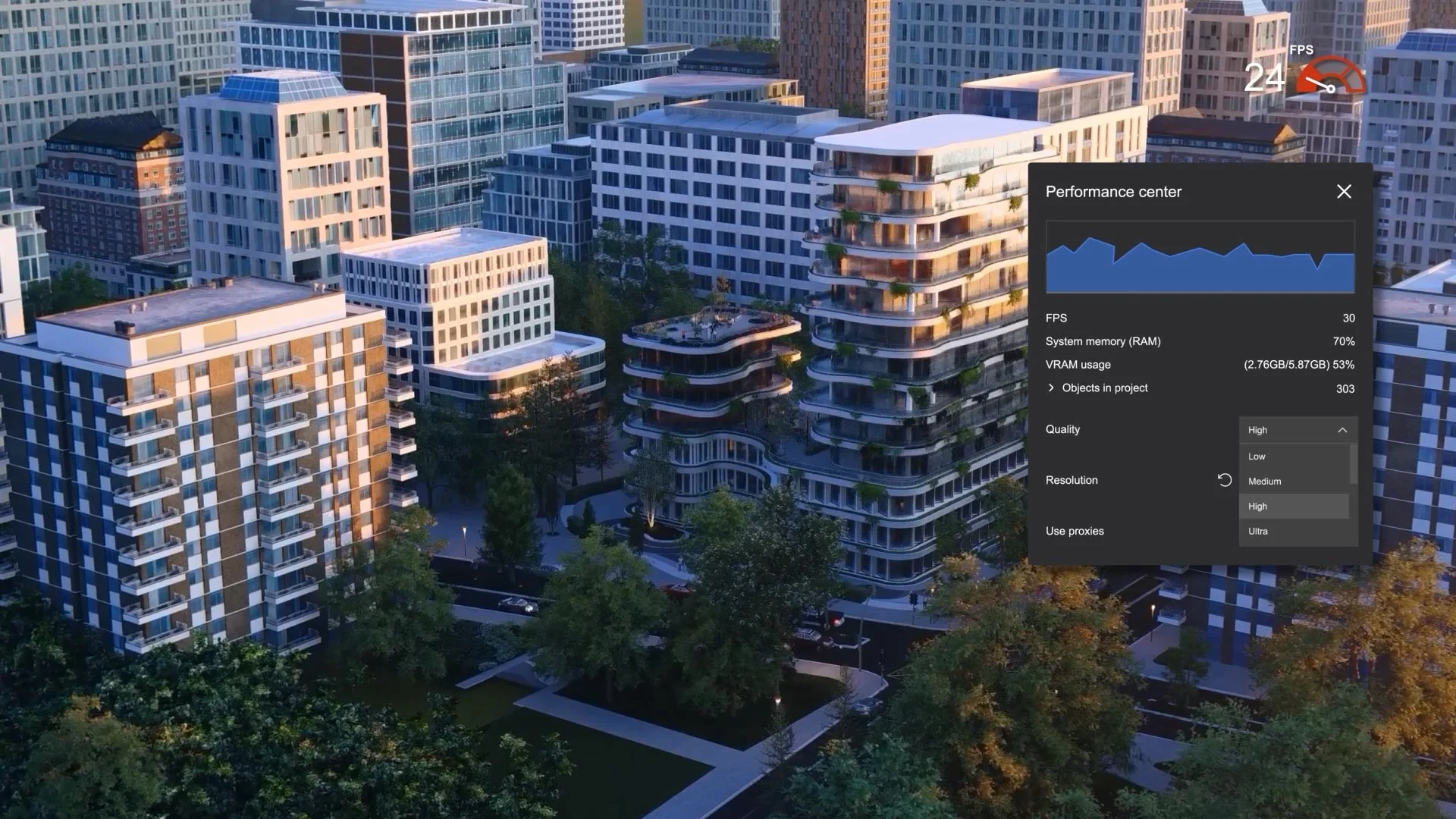
Frame rate and memory use in the Lumion Pro Performance center.
How to find the best 3D rendering software for your projects
Pick two tools from the summary table that match your output, CAD software, and platform. Run each on a current project, not a sample scene: make a real model revision and see what updates, produce the stills, animation, or panorama your practice normally delivers, and share the result with a client or colleague for feedback.
Lumion Pro's free LiveSync plugin links to SketchUp, Revit, Archicad, Rhino, and many other CAD and BIM tools, so a change in the model shows up in the scene without a re-export, and the trial runs for 14 days with no credit card. See it on your own model.
FAQ
No. Lumion Pro, Enscape, Twinmotion, D5 Render, V-Ray, and Corona render a model you build in a CAD or BIM tool such as Revit, SketchUp, or Archicad. Blender includes its own modeling tools, but it is a general-purpose 3D suite rather than a BIM tool.
Yes. Lumion Cloud is free and included with every Lumion plan. Each account has space for up to 20 projects and 50 GB of storage. Renders upload directly from Lumion Pro, and clients review and approve them in a web browser.
Yes. A practice can keep a plugin such as Enscape for design review inside the modeling tool and use a linked scene such as Lumion Pro for client presentations, because both work from the same Revit, SketchUp, Archicad, Rhino, or Vectorworks model. A trial on a live project shows whether the two fit together.
Yes. Students can get a free one-year Lumion Pro license and renew it each year for the length of their studies. Requests go through the student license page. It runs on a Windows PC that meets the Lumion Pro system requirements.
Rendering software is a tool your own team operates. A rendering company is a service that produces the images for you, and a render farm rents computing power to finish renders faster. Lumion Cloud is neither: it is where you review, refine, and approve renders.
Yes. Lumion Pro can import several 3D models into one scene regardless of the modeling software, from file formats including.skp,.dwg,.fbx,.obj, and.gltf. The free LiveSync plugin keeps a linked model updated in real time.
The 14-day trial includes every feature in the latest version of Lumion Pro, a curated library of essential materials, characters, vegetation, and objects, and Lumion Cloud with its AI and collaboration tools. No credit card is needed, and projects started in the trial open after you upgrade.